Sunday, June 12, 2011

My Favorite Part About The First Year Of Marriage: Togetherness

Well hello there hive!

Remember me?

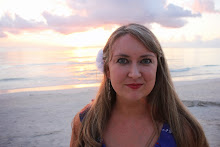
{Photo by Shoot Me Now Photography}

No? Well, I was that bee who got married last June and wrote about how to pee in your wedding dress without needing help and who's fiance designed LED luminary escort cards and built a 6 foot tall cupcake tower. Or if you're curious for a quick glimpse of what our wedding was all about, check out my two details recaps here and here, or my wiki.

I know it's been a while since I blogged here, and there's a whole new group of brides reading now (congrats on your engagements, by the way!). But our one year anniversary is today, and so I thought I would drop by and give you all a little update on our first year of marriage.

First of all, married life is pretty awesome!


We've been seriously having a blast over the past year, and as much as I LOVED planning our wedding during our 15 month engagement, being married is about a thousand times better!

Now that we're not busy DIYing and crafting and planning 24/7, we have so much time for just us. And let me tell you guys, it's pretty refreshing. There actually is life after the wedding is over, and there is nothing better than spending time making plans for the rest of your lives together, and not just plans for a wedding day!


 {Personal photo of us out enjoying life at a friend's party, with San Francisco in the background.}

So what plans have we been making for our future? Well, after we'd had a couple of months to recover from all the wedding festivities and our honeymoon, we sat down and took a hard look at our goals, and how soon we could achieve them. Namely, when could we afford to buy a house. And living in the San Francisco area, after crunching some numbers, well, it just wasn't going to happen any time soon. So together, we made a plan to change our lives for the better, financially speaking, and we set out to find somewhere more affordable to live.

We narrowed it down to either Denver, CO or Raleigh-Durham, NC for various reasons. And while this move pretty much consumed our lives for the last 9 months or so, it has been one of the most enjoyable times of my life. Working on this with my husband, to map out exactly what we wanted in a new city, scoping out said cities together, and working out the logistics of a huge move together was (and I almost hate to admit this, because I was crazy-in-love with all things weddings) way more enjoyable than planning our wedding mostly by myself, because Mr. Cola wasn't very interested.

It was the togetherness of it all that made me happy. And still does!

{Personal photo of us together in the Rocky Mountains, while scoping out Denver as a possible city to move to.}

And that's the lesson I've learned most from our first year of marriage: there's nothing better than being a united front and doing things together as husband and wife.

Sure, we do things independently like meeting up with friends, always have, always will. But when it comes to big life decisions (or even just what brands to get at the grocery store), I love making the decision together with my husband. Pre-marriage I always considered Mr. Cola in my decision making and planning, but now, now we get to do that together. Maybe it's the logical, planner in me (I think making lists is fun!), but hashing out pros and cons, having in-depth conversations and coming up with the best solution together has been one of the things I've enjoyed most about our first year together as a married couple.

Yep, we're partners in every sense of the word, and I'm loving it!


{Personal photos from our Florida vacation in March with my in-laws.}

And we really worked our partnership skills about two months ago when we made a cross country move to Raleigh, NC, to our new home. Four days in a car with our three cats and one gecko, driving 2,800 miles, while we crossed our fingers that our moving company would deliver all our belongings unharmed was pretty stressful. But we got through it in one piece, and we got through it together.

So now we're living on the other side of the country, and finally starting to get settled in and checking out our new state (a state I'd only been to twice before we moved to it!). But don't think we're going to just lie down and stop making plans now that we've completed this big change!

 {Haha, get it? A picture by Shoot Me Now Photography of me lying down, when I just said I'm not going to lie down....yeah, I'm not great with the puns!}

Heck no, we're still making big plans, and hopefully by next spring we'll be purchasing our first house together, after we learn the area a little better. And until then, you know I've been decorating and DIYing stuff around our new rental house, which I've been writing about here on my personal blog.

So that's my little update on our first year of marriage. Being married = awesome sauce!

And you know what else? I've held true to every promise I made to Mr. Cola in the vows I wrote and read to him one year ago today:
"I will try every single day to make you happy. I will listen when you need to vent, comfort you when you've had a rough day, and always be on your side, no matter what.

I vow to spend the rest of my life with you, laughing, sharing, building memories, and thoroughly enjoying whatever adventures may come our way. I vow to build the best life together with you that we can, filled with passion and achievements, and be fully devoted to the love we share.

And I promise to love you with my whole heart, forever."

Happy one year anniversary to all the June 2010 bees out there, and here's to many, many more years of happiness together as a married couple!

XOXO,

Mrs. Cola

"Nothing could be as exciting as we have now, unless it is what we will have together in the future."
{Photo by Shoot Me Now Photography, quote source unknown, via LovingYou.com}


Tuesday, January 18, 2011

A Fond Farewell

Well, the time has finally come.

Time to say goodbye to you all. Well, not really goodbye, since I’m sure I’ll pop back in every once in a while. But my time regularly posting about my wedding on this blog has sadly drawn to an end.


To all of my readers, I want to thank you for everything.

For laughing with me over my peeing in a wedding dress illustrations. For coming to my rescue with suggestions when we were lied to by a vendor. For writing nice things about my husband's hard work on our luminary escort cards, giving him a little feel of the wonderful community that us bloggers have formed. For making me feel better about my disappointing post wedding chop. For reading any of my many tutorials, that I so enjoyed putting together for you all. And for following my detailed wedding recaps (all 37 of them!), and allowing me to share how all the little details came together on our big day.

For all of your support, your encouraging comments when I was in doubt, and your alternate suggestions when I needed them, I thank you. Without you, our wedding wouldn’t have been what it was--one of the most special, fondly remembered days of our life so far. I wrote here for about a year an a half, sharing every detail of our wedding planning journey, which wasn't always easy, but without the support, kind words, and excited sharing of similar stories and situations in the comments from you all, I would have had no reason to write.

I truly hope that I've been able to help at least a few of you with your own wedding planning journey, and I've organized my online Wiki with links to most of my archives, if you
are ever looking for a quick reference.


It’s been a quick 7+ months since I married my best friend last June in a redwood-lined meadow overlooking the San Francisco bay. I had no idea how quickly time would pass after our wedding, but it did! And things won’t be slowing down for us anytime soon, we’ve got lots of upcoming travel plans, I’m working on making some items to open an etsy shop (which I hope to have ready by our one year anniversary), I’m trying to learn how to cook, we’re in the middle of de-cluttering our lives, and I’m dreaming up new projects for our house. You can read about it all over at my newlywed blog, The Handcrafted Life, if you like. I'm doing a gift card giveaway through Thursday night, so check it out!


Farewell, for now.

With lots of love,


Morgan

Sunday, January 16, 2011

Wedding Wrap Up: Parent Albums

There are only a few things left to do to wrap up everything from our wedding.

At some point we need to figure out how we'll be displaying our wishing stones from our guest book in our house. I also plan to make a shadow box display with some photos, our invitations, some dried flowers from my bouquet, Mr. Cola's boutonniere, and our LED luminary escort cards. And sooner or later we'll need to order an album for ourselves.

But one of the big wrap up items has already been taken care of: parent albums!

We gifted these to both sets of our parents for Christmas, and they really enjoyed them. Just like Mrs. Cheeseburger, we (I) designed them through Adorama, and while the results were very nice for a gift, I'm not sure we'll use them for our own album.

Using the Adorama design interface was quite easy. You can start off of a template design, to give you some ideas for layouts, but it's completely customizable to whatever you want to do. For example, you can insert a templated page, but then add, delete, or resize the placeholders or photos however you like.

So this template:

Can become this layout (or whatever layout you want. But I found it easier to start with a basic template, and then modify it, rather than starting with a blank page. Also, if you like a custom layout you made, you can copy it for later in your book, and just replace the photos):

Another nice feature of the Adorama design interface was that it was really easy to resize (Shift + drag the edge of the photo) and line up your photo with the rest of the photos in the layout. Upon clicking on the photos, lines appear, and you can either nudge the photo into place with the arrow keys on your keyboard, or use your mouse to drag the photos.

I also liked the feature that keeps track of the photos you've already placed in your album. I'd narrowed the photos for our parent albums to about 300, which I knew was way too many, but I wanted to figure out the flow of the book before narrowing it down further. At first, I imported all of the photos, but it was just too much to scroll through, so I organized our photos into different folders (i.e. getting ready, first look, etc), and imported them into Adorama one at a time, which was much easier to manage. And as I added each photo to the album layout, Adorama marked it with a check, so I could easily see I'd already included it.

Overall, I was really happy with the Adorama layout program, and after playing with it for a while, and becoming more familiar with it, it was a breeze to finish our parent books. I'd say I spent about 3 hours creating both books (but I used 80% of the same layouts for both books, switching in different family photos for the other 20%). And with shipping, the 10" x 10" 50 page books were about $96 each (although I believe there was a sale for 10% off on the 10" x 10" books at the time. Be sure to check their site often, it seems like there is always something on sale.)

Now, onto the quality.

This is the area that makes me reluctant to order from Adorama for our personal wedding album, as I'm not sure it will stand up to 50 years of looking through it.

The quality is definitely better than the Shutterfly albums I've seen though, and for the price, I still think Adorama is a good value. But I wanted to write this honest review so you're not ordering from them expecting quality binding that is going to last forever. For gifts though, that probably won't get anywhere near the use as your own album, I think Adorama is fine.

Here are some photos of one of the albums, I'll show you the binding first.
(It gaps a little near the binding on the bottom of the book. And there are also some glue spots in the center of the pages, near the binding. In the picture it looks like faint grey dots.)

(There is also a gap between the last page and second to last page, as the back, and front, pages are glued directly to the cover.)


The other quality issue I had with the albums was that some of the photos that were a little darker to begin with, printed darker than they should have. Actually, overall, I'd say that all of the photos in the album were all a little darker than when printed on my personal photo printer, and than they appear on my multiple computer screens. It's not a super huge issue, but definitely something that I noticed, especially on some of the larger, darker-to-begin with photos.

Now, on to the good! The paper quality was very nice, and much better than what I've gotten from Shutterfly (my only other online photo book experience). Per their website, the paper they use is "Fuji Crystal Archive Album photo paper, a professional quality archival paper with excellent resistance to fading." I would estimate it feels to be about 90-95 lb paper. Not quite as thick as the 101 lb card stock I used in my invitations, but close.

And again, I really liked the flexibility of the layouts. Throughout the 50 page books, I utilized about 7 or 8 different spread layouts, repeated several times, to keep things interesting, but still have a nice flow. And even just mirroring the spread layouts works well to change things up, but still have a feeling of consistency.

Also, as Mrs. Cheeseburger mentioned in her post, the lay flat pages are quite nice. The center crease is minimal, and this aspect of the Adorama books made me really happy, because I wasn't 100% sure how it would look in real life.

And finally, I liked the cover a lot. You have the option of a non-photo cover, with lots of patterns/textures (not really textured, but has the appearance of texture) to choose from, or you can have a photo cover with edge to edge coverage, or a combo of both. For the parent albums, we opted for a combo, with a textured spine and front edge texture, with a portrait orientation photo.

The cover feels pretty durable, and doesn't seem like it will show scratches very easily, so I'm pretty happy with this aspect of the albums.

Overall, I think I would rate Adorama albums a 7.5 out of 10. For the relatively low cost, quick turnaround time (about a week), paper and cover quality, and easy to use online design interface, it gets high marks. However, the binding isn't going to last forever, and I was a little disappointed with the slightly darker photo printing, so I'm knocking off a few points for those downsides. Still, even with those downsides, I would recommend Adorama over Shutterfly for gift albums, or a guestbook album, but probably not for your personal album that needs to hold up over years and years of viewing.

Are you planning to DIY any wedding albums? If you have used any, which online album companies do you recommend and why?

(All photos in this post are either personal photos taken by me, of our photos taken by Shoot Me Now Photography, or are screen shots from the online Adorama design interface.)

Monday, January 10, 2011

More Photoshop Love: Wedding Photo Edits

I’m betting a lot of brides have looked at their wedding photos, and wished that something had been different in a few shots. Maybe a person was missing, or something was just off a bit. But in this day and age, where our photographers can manipulate just about anything with Photoshop, some of these “photo regrets” can be fixed. Mrs. Nachos even did a great tutorial on how she edited out the people in the background of her trash the dress photos, here.

Now, you may say that this isn’t right, it’s not showcasing your wedding day accurately if changes are made with Photoshop. Which is true (although I think the same could technically be said for standard edits, like adjusting the lighting). But I still thought it would be fun to have a try at manipulating some of our photos (don’t worry, we have full rights) while I watched trashy TV reruns.

Most of these likely won’t make it into our album, but I’m kind of glad I did them anyway! I think this exercise has helped a little with coming to terms with some of the things missing from our photos
, like not having a photo of Mr. Cola with my immediate family. It was a bit therapeutic to be able to fix on my computer what I couldn’t fix in real life!

Additionally, I’m sort of picky person, so being able to tweak small things in photos that only I notice has been great. It’s one of the main reasons I wanted us to book a photographer who would give us the rights to our photos. And who knows, your photographer might even be fixing these little nit-picky things without you ever knowing it! Plus, I know lots of photogs do offer additional touch up services, if you too are bothered by little things out of place.

Take for example, I was hot and thirsty after our ceremony, but had to take family pictures right away. In this picture with my sister, my lipstick is starting to come off.

But with a little editing, I've put my lipstick back on.

There was also a stray strand of my bangs blowing up in the breeze in this photo that was bugging me.

But with a couple minutes in Photoshop, poof, it's gone!

Or there were the signs in the hall behind me in this photo that were detracting from the photograph, so away they went.

Even just cropping can do wonders to a photograph! Our first kiss was an important moment for us, but I wanted something a little closer, without our second photographer's hand and the portable speaker in the picture.

With some cropping and editing out the speaker, we now have this great photo.

I was also bothered by the writing on our photographer's bag that I was laying on in this photo. It was just distracting next to my shoulder, and you know how it is when you notice something out of place, and then that's all you can concentrate on when you see the photo!

But with a couple of clicks of the healing brush, it was gone.

So, those were some examples of quick fixes to nit-picky photo regrets. But what about if there was a small detail you wished you'd had, but didn't?

One of the details we didn't end up having was Mr. Cola wearing adorable argyle socks. I'm so in love with the photos of guys with their socks all over the blogs, but we compromised, and he agreed to do some of the equally adorable jumping photos with his groomsmen instead.

But with some editing work, I can still dream about this 'what if' of argyle socks....

I know, I know, that's pretty dang silly!

And I didn't even do a very good job of adding the socks, because I didn't want to spend too much time on a picture that I'll never actually use. But it's a good example of the possibilities with Photoshop that could be used on wedding photos these days.


The main thing I really wanted to try to tackle was something I mentioned at the beginning of this post, to try to get a photo of Mr. Cola with my immediate family, since we didn't take one on our wedding day. However, once you get past small touch ups and decor mock ups, my Photoshop skills are just not that strong.

I tried cutting Mr. Cola out of one picture, and sticking him into the photo with my parents, but the results were laughable. Then I remembered we did have a big group photo with all of my mom's family that I might be able to do something with.

So I cut us out of that photo, and attempted to insert us into another photo with a prettier background. Again, not good results. It looked just like what it was, an obviously a poor Photoshop job, and reminded me of that one Seinfeld episode where George tries to get taken out of his boss's beach picture, but ends up getting his boss added back in, in cartoon form.

See? Not cartoons, but obviously we don't belong in this picture, and I was too tired of messing with it to get it any better.

So my next attempt was just to use the big group photo we were already in, and modify the existing background to remove the other people in the original photo. This actually worked a lot better, although it's still nowhere near perfect.

What happened with my family picture, I found to be true for all photos where I tried to add something that wasn't there originally. It just didn't work very well, and I really don't have the skills to pull it off. Which is why I haven't attempted to add my SIL or my sister's long-time boyfriend to the pictures that they're missing from. It's just a lot easier to take objects or people out of photos than to add them.

Like in this photo from our rehearsal, it was quite easy to simply remove the distracting members of our wedding party, so I could have a cute picture with just my DOC and I.
(Two above photos are personal photos)

Anyway, there's a little look at some of the fun I've been having recently with Photoshop! I think it's really such a fun program, and there are so many possibilities for tweaking your wedding photos that it's worth a try if you have the time, photo rights and skills!

Are you a Photoshop fan? If so, do you plan on using it on any of your wedding photos if you find something amiss?

(Unless otherwise noted, all photos in this post were taken by Shoot Me Now Photography, and edited by yours truly)

Tuesday, December 14, 2010

Photoshop vs. Reality: Wedding Inspiration Mock Ups

A little over a year ago (yikes, I'm such an old bee now!) I wrote a blog post about how much I love to mock things up in Photoshop or Illustrator. I've never been very good at just imagining or hand sketching things, but I like having a clearly laid out vision before I bring a project to life. It really saves on the cost of materials for projects too, since there isn't as much need to experiment.

I also said in that old blog post that it would be fun to come back after my wedding to compare my early Photoshop mocked up inspirations with the final result. So let's take a look back at a few of the many, many mock ups I created early in my wedding planning stages!

Invitations

I'd initially had another design for our invites, but it was too complicated and was more DIY time than we could handle. So I mocked up a scaled down version of our invitation suite.

And the final product. Other than some rounded corners, these came out pretty dang close to my mock up! Not only did doing a mock up really help me nail down exactly what elements I wanted to include, but it also gave me a great start on the content for the inserts that I printed.
Our Ceremony Set Up

We loved the ceremony site at our venue, the trees, the meadow, the bay view, it had a lot of natural beauty, that only needed a little decor. But when you're working with a big empty meadow, you've got to use some imagination. Or some Photoshop! Originally I had wanted us to build an arch that was bigger than the one provided by our venue, and had wanted an aisle runner, so my heels wouldn't sink into the grass.

However, after being lied to by the vendor who I was going to rent chargers and the aisle runner from, I decided on just using rose petals on the aisle. And Mr. Cola convinced me that it would be too much work to transport or assemble a DIY arch, so we ended up just decorating the arch the venue already had. The final result was beautiful though, even if not exactly like my original idea!


Card Box

This was an easy one....and probably it wasn't necessary to do a mock up of a card box. But I did it back when it was too early to actually start working on wedding things, very early in the planning stages, and it turned out almost exactly like my Photoshopped version.

Table Decor and Centerpieces

These mock ups ended up only becoming a partial reality. First, as I'd already mentioned, a vendor lied to us about having purple charger plates available, so we didn't end up getting to use them as I'd planned to add color to our tables.
I was really frustrated at the time, but ended up really happy with the end result. Instead of chargers, I went about $150 over budget and rented overlays for the tables. They still gave me the pops of color I was looking for, without the headache of trying to DIY my own chargers.

As for the centerpieces, I'd say we did pretty good with sticking to my inspiration mock ups. We ended up using some different flowers, but that was expected, since we were at the mercy of whatever was available at the flower market.

The tall centerpieces:


Short centerpieces:


Cocktail table centerpieces:

Rehearsal Dinner Decor

This was one area of planning that I needed a lot of inspiration for. There were no pictures online that I could find of our rehearsal dinner venue actually set up for a dinner. So when we visited the location, I took pictures, which I later Photoshopped chairs, tables and decor onto. My sister was so amazed at how close everything turned out to my mock ups that she pulled up my original blog post on her phone during the rehearsal dinner to show the rest of our wedding party the mock ups for comparison!

The mock ups:

The reality:

The Inspiration Board


And finally, just for fun, and because I've seen a few other bees do it, how about a look at my first inspiration board, compared to what details really happened. I made this first inspiration board to use as my personal blog header, in August 2009 (you can click on these boards for a larger view if you like).

And here are the same details from our wedding (Sorry, when downsizing this board from over 800 MB, it muted the colors a little, but you get the idea!):
(Except the favor boxes, all photos in this board are by Shoot Me Now Photography, cropped by me)

Have you used any graphic design programs to help you solidify your vision for your wedding? And is anyone else as big of a fan of mock ups as I am? :)

(Unless otherwise noted, all photos in this post are personal photos, taken by myself or our guests, and all editing was done by me.)